


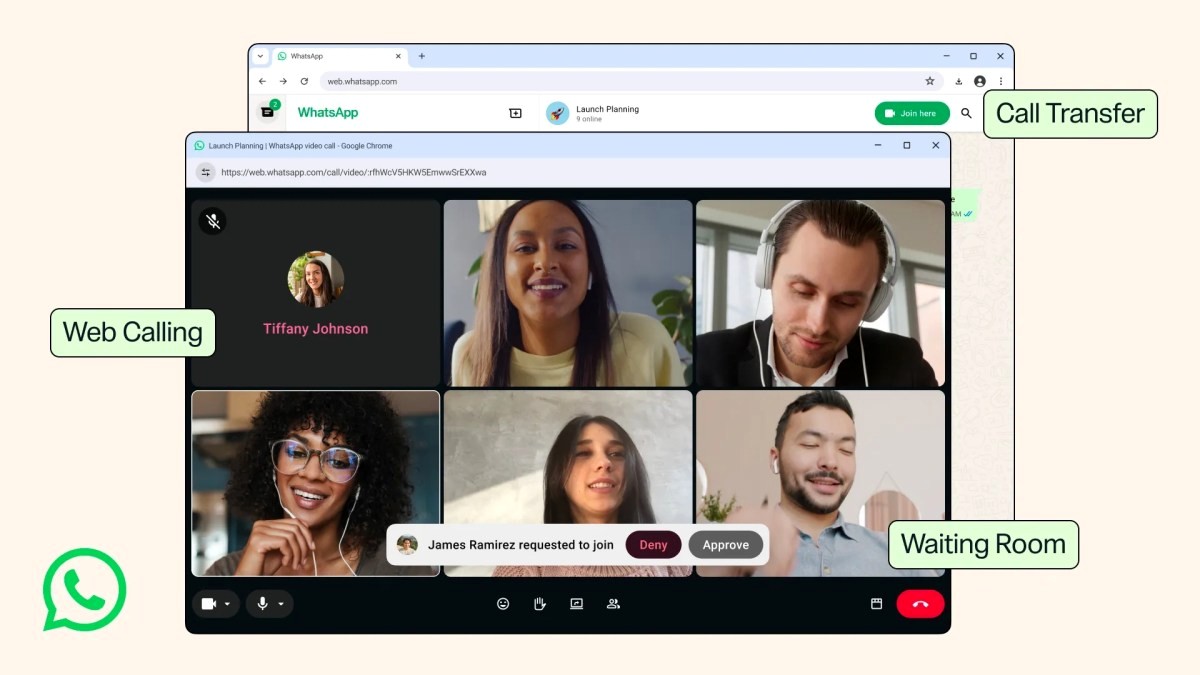
A Major Upgrade for Desktop-Based Customer Support
For years, making and receiving calls on WhatsApp was restricted to mobile apps or the native desktop client. Meta has finally rolled out audio and video calls directly to WhatsApp for Web. For support agents and sales reps spending their entire workday managing chats in a browser, this eliminates the constant friction of switching between devices just to take a customer call.
For businesses running operations on WhatsApp Business, this infrastructural update boosts operator efficiency. Handling complex inquiries, troubleshooting technical glitches, or guiding a high-intent buyer can now happen swiftly from the convenience of a web browser.
Advanced Features Tailored for Client Consultations
The new WhatsApp Web rollout introduces powerful tools designed for professional interactions. Features like screen-sharing and reactions mirror the desktop experience, enabling sales teams to walk clients through software demos, catalog items, or ordering steps in real time.
Furthermore, new additions such as waiting rooms with approval requirements give hosts complete control over group calls—ideal for client onboarding or team syncs. Call-transfer capabilities allow users to jump seamlessly between their phone and web browser mid-conversation, while background noise suppression ensures crystal-clear audio even in bustling office environments.
Streamlining Your Messaging Channels with Dyoo
As channels like WhatsApp, Instagram, and Telegram introduce richer features, managing them manually across different windows becomes a bottleneck for growing sales teams. This is where centralized infrastructure becomes essential.
At Dyoo (dyoo.app), we empower businesses to consolidate all customer chats, leads, and sales pipelines from messaging apps into a single, unified inbox. While WhatsApp's new calling features enhance your direct communication toolkit, Dyoo ensures your team never misses a lead, automates routine replies, and scales your messaging revenue effortlessly.